The Podcast Equipment Checklist Every Beginner Needs
Essential podcast equipment checklist for beginners. Learn about microphones, interfaces, 4K multi-cam setups, acoustic treatment, and studio alternatives.
Equipment Architecture: The Podcast Equipment Checklist Every Beginner Needs
Navigating the podcasting landscape in 2026 requires more than just plug-and-play USB microphones and webcam recordings. As listener standards elevate across platforms like Spotify, Apple Podcasts, and YouTube, creators are held to broadcast-quality audio and visual benchmarks. Whether you are building an independent show or launching a brand channel, having the right technical foundation prevents costly re-records and viewer drop-off. If setting up home gear feels daunting, creators across Bangalore often streamline their workflow inside a fully equipped podcast studio bangalore stage to access high-end gear without upfront capital expense.
1. Audio Infrastructure: Microphones & Recorders
The core of any successful podcast is audio clarity. Beginners frequently fall into the trap of using sensitive condenser microphones in untreated rooms, capturing unwanted HVAC hums, keyboard clicks, and harsh wall echo. For most podcasters, dynamic microphones with cardioid polar patterns are superior—rejecting off-axis room noise while isolating the speaker's vocal presence.
When choosing between XLR and USB microphone configurations: USB mics offer plug-and-play simplicity for single-host setups. However, multi-person interview shows require XLR microphones routed into audio interfaces or dedicated multitrack recorder consoles (such as the Rodecaster Pro II or Zoom P8).
Recording individual audio stems for each guest is essential. This allows sound engineers at an advanced recording studio bangalore hub to clean up cross-talk and balance volume levels independently during post-production.
Essential Audio Specs
• Microphone Type: Dynamic (Shure SM7B, PodMic, or Samson Q2U).
• Connection: XLR for multi-person; USB for solo setups.
• Recording Format: WAV 24-bit / 48kHz multitrack stems.
• Monitoring: Closed-back headphones (Audio-Technica ATH-M50x).
Before purchasing gear, review our podcast studio cost & rental guide to evaluate DIY gear buying versus renting studio time.
Video & Camera Rig Checklist
• Camera Sensors: Mirrorless 4K (Sony A6400, FX30, or Canon R10).
• Lenses: Wide-aperture lenses (f/1.8 to f/2.8) for shallow depth-of-field.
• Switching: ATEM Mini Pro for live multi-camera feeds.
• Capture Cards: Elgato Cam Link 4K for direct streaming feeds.
To learn more about setting up video environments, read our guide on how to choose a video production studio.
2. Visual Infrastructure: Multi-Camera 4K & Lighting
Video podcasts dominate content discovery across YouTube, Instagram Reels, and LinkedIn. A single static angle is no longer enough to keep modern viewers engaged over a 45-minute episode. High-performing shows utilize a 3-camera matrix: individual close-ups for the host and guest, plus a wide master framing shot.
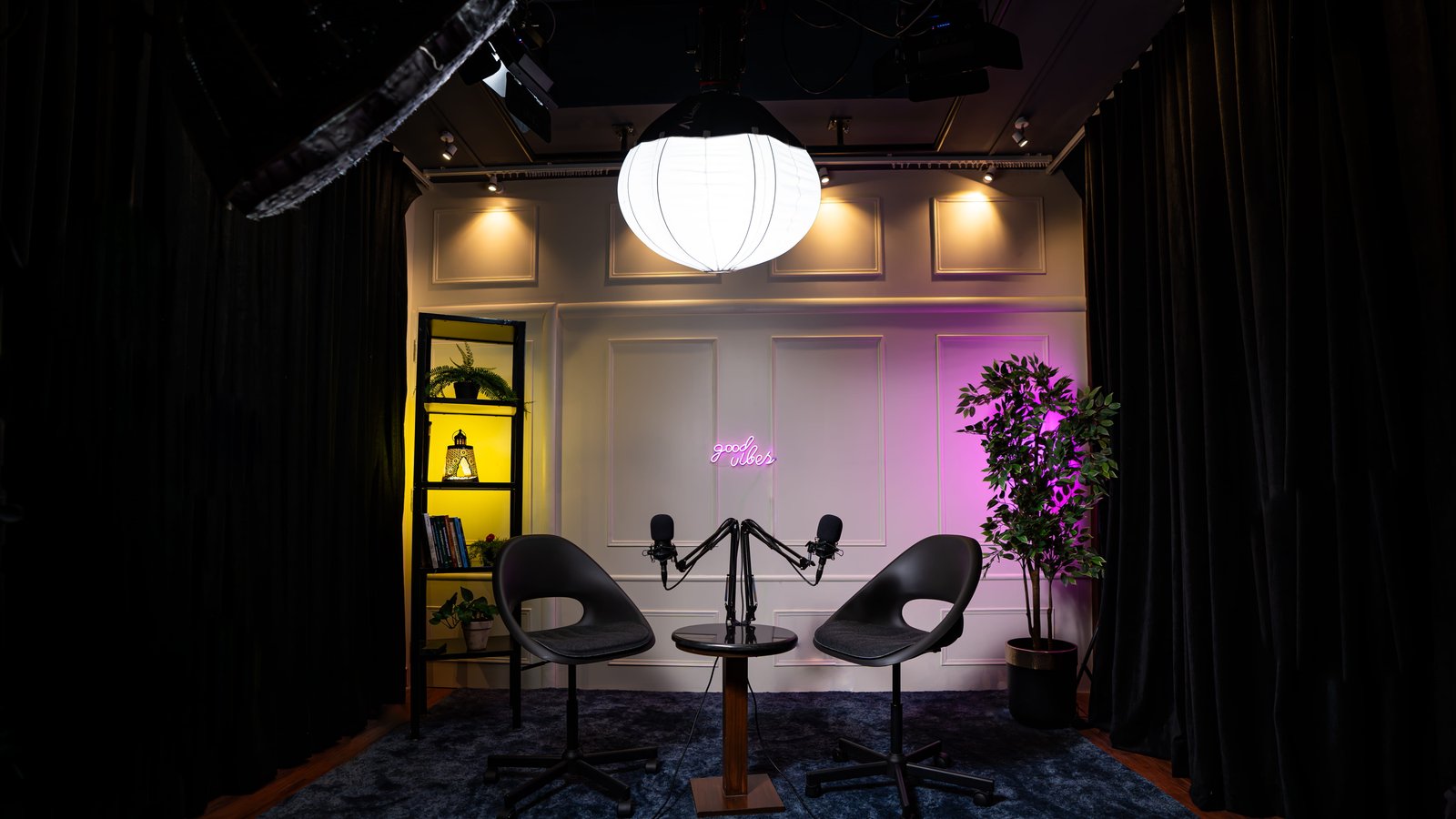
Lighting is equally critical. Overhead house lights cast unflattering shadows under eyes and noses. Professional studio setups implement a traditional 3-point lighting model—Key Light with softboxes, Fill Light for contrast control, and Rim/Hair Lights to separate subjects cleanly from dark background sets.
Setting up this level of multi-sensor cinema gear requires specialized hardware. Operating inside a dedicated video production company in bangalore workflow guarantees synchronized color science across every camera lens.
01 // Studio Teleprompter Units
Maintaining direct eye contact with the camera while referencing episode scripts is difficult. In-lens beam splitter glass teleprompters allow hosts to read talking points without breaking audience focus.
02 // Acoustic Treatment & Baffles
Hard flat walls reflect sound waves, causing flutter echo. Installing high-density acoustic foam panels, bass traps, and heavy blackout curtains suppresses reverberation below acceptable broadcast limits.
03 // Short-Form Reel Repurposing
Capturing vertical content alongside horizontal master episodes expands distribution reach. Operating inside a premier reels studio bangalore pipeline generates vertical clips for social channels.
04 // Post-Production & Editing Stems
High-end hardware requires a matching editing workflow. Utilizing specialized video editing services in bangalore ensures your raw audio and video stems receive color grading and noise suppression.
3. DIY Home Setup vs. Professional Studio Reservation
Building a complete home setup with broadcast microphones, 3-point LED softboxes, 4K cameras, teleprompters, and soundproof wall panels can easily cost between ₹2.5 Lakhs to ₹6 Lakhs in upfront hardware capital. Furthermore, managing technical troubleshooting during live recordings takes attention away from guiding guest conversations.
This is why founders, executives, and serious creators prefer reserving hourly or daily studio slots. Working in a specialized space like our creator studio bangalore or regional hubs like our podcast studio in Rajajinagar allows hosts to show up, plug in, record with on-set engineers, and walk away with clean raw files immediately.
For additional insights on show strategy, explore our guide on 10 podcast ideas for founders & creators or learn how to record a podcast step-by-step.