How to Shoot YouTube Videos That Look Professional
Learn how to shoot YouTube videos that look professional. Master 4K camera settings, 3-point lighting, broadcast audio, framing, and studio setups.
YouTube Masterclass: How to Shoot YouTube Videos That Look Professional
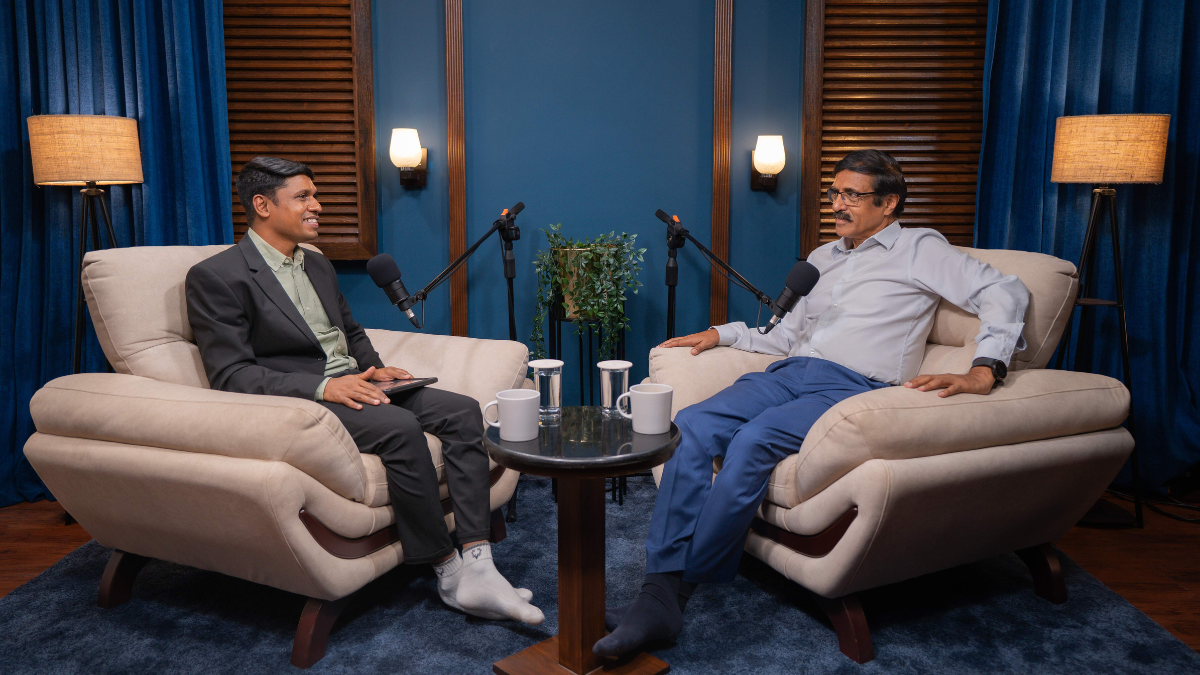
Standing out on YouTube in 2026 requires far more than just compelling storytelling. Modern digital audiences make split-second decisions based on visual fidelity, cinematic lighting, and studio-quality audio. Whether you are building an executive brand channel, launching a product review show, or producing founder-led content, elevating your visual production value directly impacts viewer retention and algorithm authority. Creators looking to bypass the steep learning curve of purchasing and tuning equipment frequently shoot their main content inside a dedicated video studio bangalore stage to guarantee broadcast-grade results from episode one.
1. Mastering Camera Settings & Cinematic Depth
The foundation of a high-end YouTube video starts with getting your camera out of "Auto" mode. To achieve that smooth, movie-like aesthetic, lock your video framerate to 24fps or 30fps and adhere strictly to the 180-degree shutter rule. This means your shutter speed should always be double your framerate (e.g., 1/50s shutter speed for 24fps recording) to create natural motion blur.
To create the coveted "blurry background" (bokeh) that separates professional YouTube creators from amateurs, use a wide-aperture prime lens (f/1.8 or f/2.4) and physically step away from the wall behind you. Creating separation between the presenter and the backdrop adds instant 3D depth to the camera image.
For founders and executives building personal brands, exploring our guide on the best video studio for founders in Bangalore offers additional strategic insights into building media authority.
Camera Setup Parameters
• Resolution: 4K UHD (3840x2160) for sharp detail.
• Framerate: 24fps (Cinematic) or 30fps (Talking Head).
• Shutter Speed: 1/50s (24fps) or 1/60s (30fps).
• Aperture: f/1.8 to f/2.8 for background separation.
• White Balance: Manual Kelvin setting (5600K Daylight).
Learn more about setting up optimal studio environments in our article on how to choose a video production studio.
3-Point Lighting Model
• Key Light: Large softbox placed 45° off-camera.
• Fill Light: Subtle bounce or low-power soft fill.
• Hair/Rim Light: Overhead backlight to separate hair/shoulders.
• Practical Lights: Warm background lamps or RGB accent tubes.
Deciding between studio backgrounds? Read our comparison on green screen vs. cinematic background setups.
2. 3-Point Lighting & Studio Audio Precision
Camera gear alone cannot save a video shot in bad lighting. Relying on ceiling bulbs creates harsh facial shadows, while direct sunlight causes uneven overexposure. Professional YouTube studios rely on soft, diffusion-covered Key Lights to wrap natural illumination across the subject's face.
Equal weight must be placed on audio quality. YouTube viewers will forgive 1080p video, but they will instantly exit a video with echoed, hollow audio. Positioning an overhead shotgun boom mic just out of frame or utilizing a broadcast XLR dynamic microphone ensures warm, isolated voice capture without room reverberation.
If you are filming multi-guest interviews or podcasts for YouTube, executing sessions inside a specialized podcast studio bangalore guarantees separate acoustic tracks for every presenter.
01 // Multi-Cam Angle Switching
Cutting between a tight A-cam talking head and a wide B-cam angle keeps visual pacing dynamic. Working with a premier video production company in bangalore provides multi-camera live switching setups.
02 // In-Lens Teleprompters
Looking directly into the lens while presenting complex scripts creates immediate viewer trust. Utilizing studio beam-splitter glass prompters keeps speech delivery natural and fluid.
03 // Vertical Shorts Repurposing
Extract viral YouTube Shorts and Instagram Reels from every long-form shoot. Our specialized reels studio bangalore pipeline captures 9:16 vertical content simultaneously.
04 // Post-Production & Color Grading
Unlocking a true cinematic look requires color grading LOG footage. Partnering with professional video editing services in bangalore ensures polished graphics, sound design, and color balance.
3. Specialized YouTube Production: Products, Brands & D2C
Shooting YouTube videos for consumer brands requires macro product framing, color-calibrated studio environments, and high-velocity batch workflows. If you are producing product review ads or unboxing series, working alongside an experienced e-commerce video production company in bangalore ensures accurate color representation and high-converting asset delivery.
For D2C brands looking to shoot a complete month of YouTube content in a single 8-hour production block, check out our operational guide on D2C Brand Day: How to Shoot a Month of Ads in 8 Hours or explore our dedicated D2C brand video production solutions.
Looking for additional creator frameworks? Read our comprehensive guides on how to create professional reels and product shoot studio setup strategies.